Resync Labs · Available now

TestDrive. A full QA toolkit with private AI. It runs from a USB stick.

Plug it into any Windows laptop and get 43 QA tools plus a private AI assistant — requirements analysis, test generation, estimation, diagrams, and security checks. No installation, no admin rights, no internet, and nothing ever leaves the machine.

Client sites block cloud AI. Your testers still have deadlines.

Consultants and testers increasingly work in environments where cloud AI tools are prohibited and installing software takes an IT ticket and a fortnight. So the productivity gains everyone else is getting stop at the client’s front door. TestDrive walks straight through it — a complete, self-contained toolkit that runs from the stick, with AI that works entirely on the device.
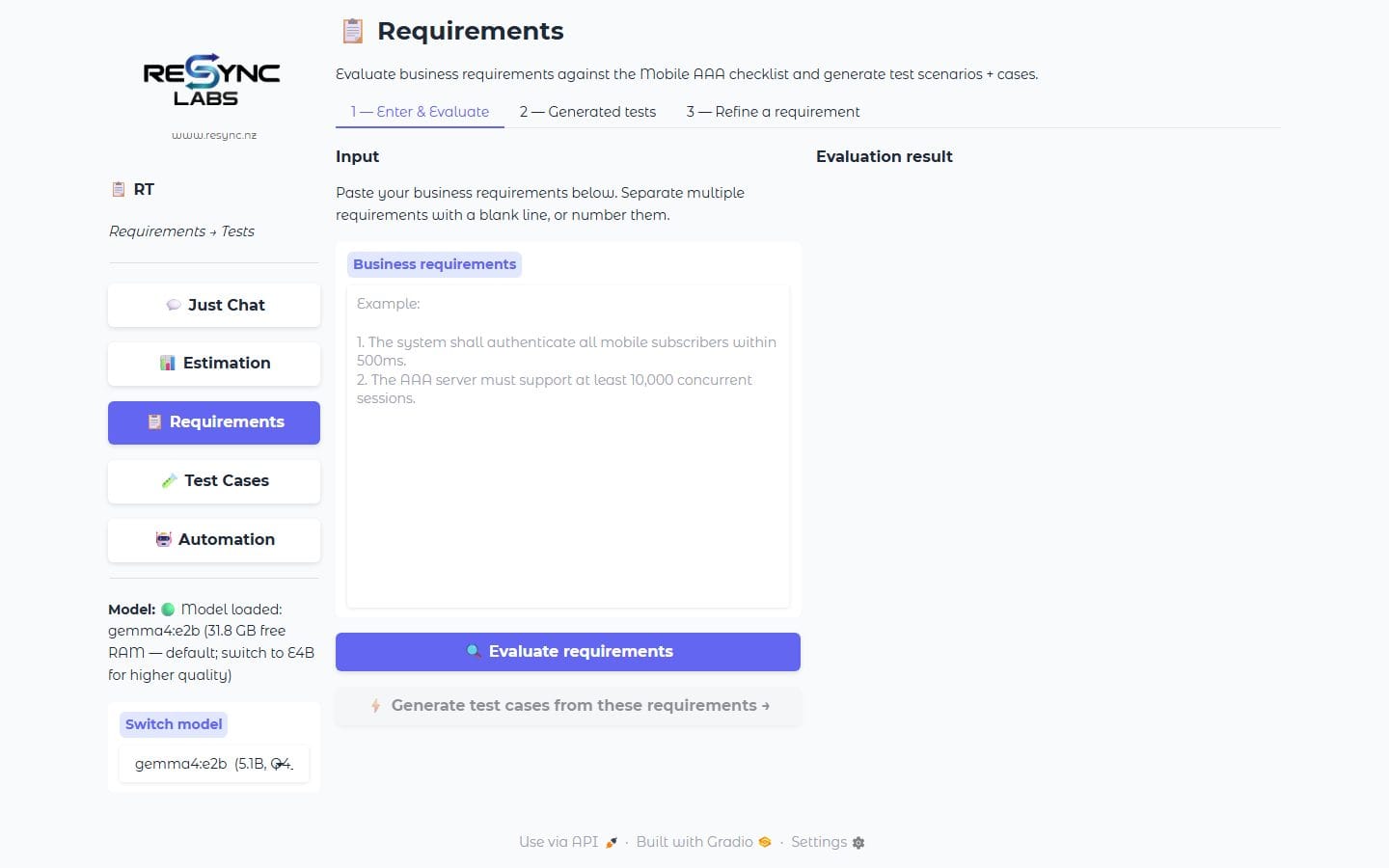
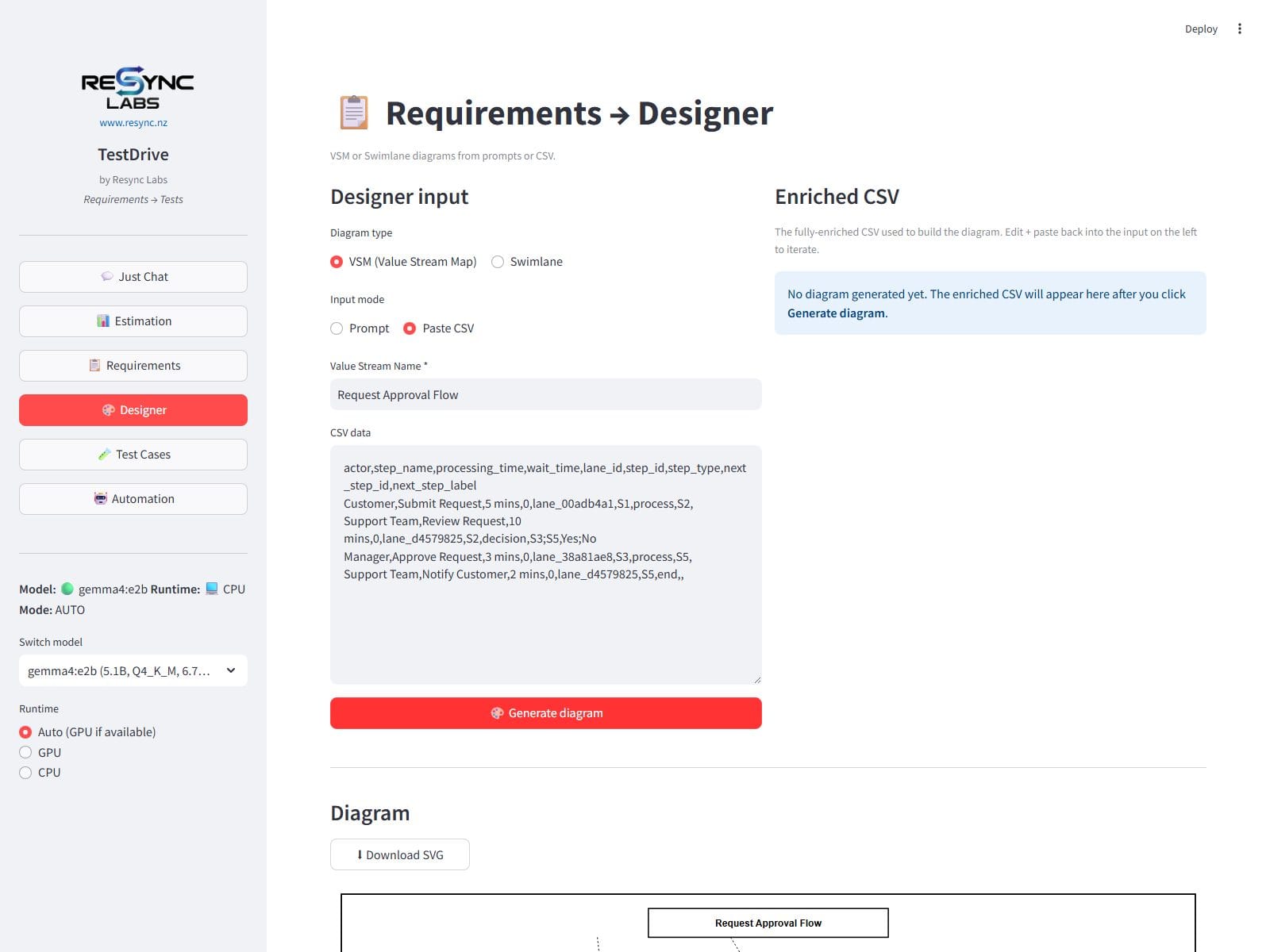
TestDrive evaluating business requirements entirely on-deviceTestDrive's Designer rendering a value stream map offline

What you can do with it

The work of a QA team’s first week, done in an afternoon.

Requirements to test cases in minutes

Paste in business requirements and get them graded, tightened, and turned into scenarios and test cases — ready to export to Jira or TestRail.

Estimates you can defend

Phase-by-phase effort and NZD cost estimates built on Resync’s real consulting estimation model — not a guess.

Diagrams on demand

Turn a description or a pasted table into clean value-stream and swimlane diagrams for workshops and test plans.

A complete testing workbench

Test plans, bug reports, coverage mapping, regression impact, exploratory session notes, accessibility checks — 43 tools in one place.

Security checks, with consent

Run standard security scans against systems you’re authorised to test — every tool sits behind an explicit authorisation gate.

Capture journeys as you click

A browser recorder turns real user journeys into structured scenarios your automation team can pick up.

Why teams choose it

  • Zero footprint — no installation, no admin rights, no IT ticket — plug in and work.
  • Total confidentiality — requirements and test data are processed on the laptop in front of you; nothing touches the internet.
  • Works on ordinary hardware — runs on a standard corporate Windows laptop — no special kit.
  • Consistency across engagements — every consultant carries the same toolkit, so deliverables look the same regardless of who’s on site.
  • Faster documentation — the drudge work of QA documentation — evaluation, formatting, exporting — happens in minutes.

Who it’s for

For QA professionals who work where the cloud can’t follow.

Consultants & contractors

Practitioners working inside client environments where cloud AI is blocked and installs are forbidden.

Business analysts & testers

Anyone who turns requirements into test assets and wants the slow parts automated — privately.

Regulated & air-gapped teams

Defence, banking, health, and infrastructure teams whose networks never touch the public internet.

Frequently asked questions

Does TestDrive really work with no internet?

Yes — completely. The AI runs on the laptop itself, and every tool, template, and model ships on the drive. Flight mode is a perfectly good working environment.

Is client data safe?

Nothing is uploaded anywhere — there is no server, no account, and no telemetry. Work happens on the machine in front of you and stays there.

What do I need to run it?

A standard Windows 10 or 11 laptop. TestDrive detects the hardware it’s given and adjusts — modest machines are fine.

Give every consultant a QA team on a stick.

Talk to us about TestDrive for your team — single sticks for individual consultants, or a fleet configured for your organisation’s standards.